 Featured partnerSign up to Lightyear and get up to €100 in a free fractional shareCapital at risk, terms apply. Seek guidance if necessary. Claim Up to €100 Capital at risk, terms apply. Seek guidance if necessary.
 - GlobalTrader is the best starting point for most long-term stock and ETF investors. It keeps the core investing workflow simpler while covering more than 90 stock markets.
- IBKR Mobile is the power-user choice. It offers the wider product range, advanced orders, research, scanners, reporting and detailed portfolio controls.
- IMPACT is the specialist option. Choose it when values-based screening and portfolio grading are central to how you invest.
- Your app does not determine your investor protection or permissions. Those depend on your account entity, residence, account type and approved products.
For most long-term stock and ETF investors, IBKR GlobalTrader is the best place to start. It keeps the core investing workflow simpler while still covering more than 90 stock markets across the US, Canada, Europe and Asia.
Choose IBKR Mobile if you need the wider product range, advanced order types, research, scanners, reporting and tighter portfolio control. Choose IMPACT if its values-based screening and portfolio grading are central to how you invest.
You do not need to make a permanent choice. The same Interactive Brokers account can be used across IBKR platforms, with no additional platform fee. Many readers will be best served by keeping GlobalTrader for routine investing and IBKR Mobile for the occasions when they need more control.
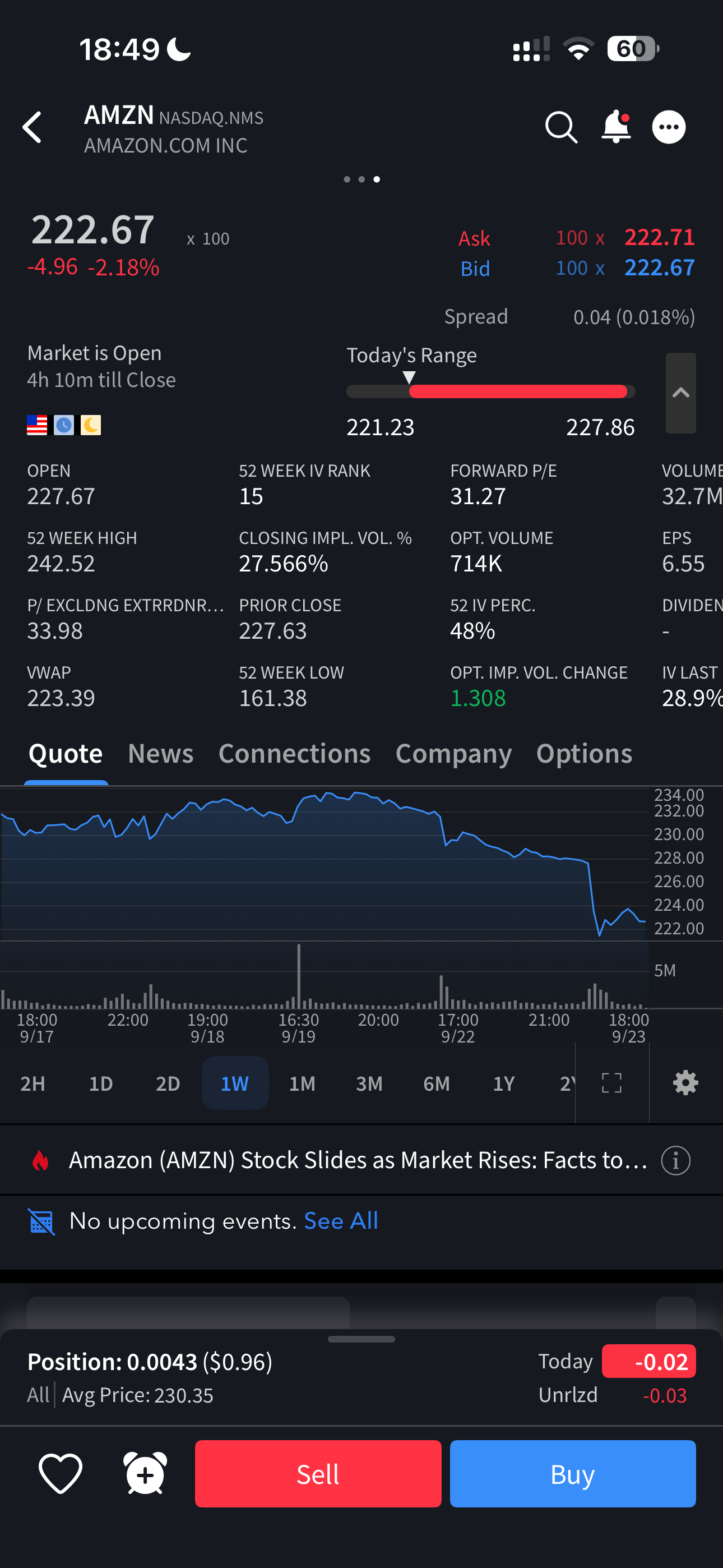
I use IBKR myself, and the six screenshots in this guide were taken from my funded account in September 2025. They show the practical difference in interface density and navigation. They should not be treated as proof of every current feature because app interfaces change.
Quick comparisonIBKR Mobile vs GlobalTrader vs IMPACT at a glance
| Feature | IBKR Mobile | GlobalTrader | IMPACT |
|---|---|---|---|
| Best for | Advanced products and control | Most stock and ETF investors | Values-based screening |
| Main products | Stocks, options, futures, currencies, bonds, funds and more | Stocks, ETFs and options | Stocks, ETFs and options |
| Market reach | 175+ markets across asset classes | 90+ stock markets, options on 30+ market centres | No verified total count, options on 30+ market centres |
| Order tools | Limit, stop, bracket, conditional, VWAP, Iceberg and Adaptive Algo | Focused order view with an optional advanced ticket | Values-led workflow with stock swapping |
| Research and monitoring | Research, scanners, watchlists, statements and reports | Explore, themes, AI news summaries and watchlists | Portfolio grades, alignment and practice flags |
| Simulated trading | Paper account supported | USD 10,000 or equivalent in virtual cash | Supported |
| Main limitation | Denser interface and steeper learning curve | Narrower product scope than IBKR Mobile | Specialist scope and imperfect ESG data |
IBKR Mobile: best for advanced products and control
IBKR Mobile is the strongest choice when you want as much of Interactive Brokers' professional toolkit as possible on a phone. IBKR positions it for intermediate and advanced users, with stocks, options, futures, currencies, bonds, funds and more across 175+ markets worldwide.
The order ticket is the clearest dividing line. Alongside limit, stop, bracket and conditional orders, IBKR names VWAP, Iceberg and Adaptive Algo among the available tools. The app also includes real-time data, research, scanners, watchlists, portfolio monitoring, statements and reports. IB Key adds two-factor authentication using Face ID, fingerprint or a PIN.
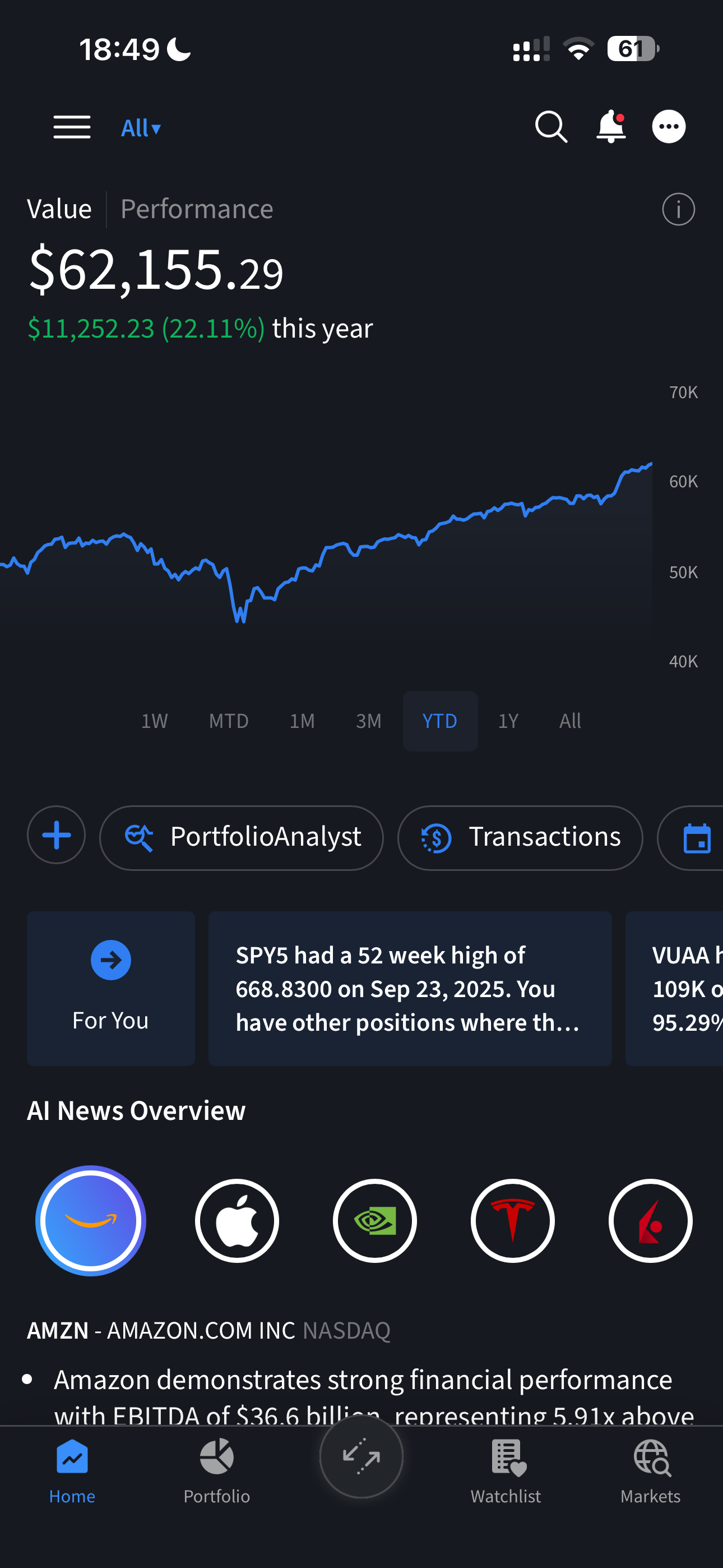
That breadth comes with a trade-off. In our screenshots, IBKR Mobile puts more information and controls on screen than the other two apps. A long-term investor making occasional stock or ETF purchases may find that extra density unnecessary. An investor using advanced orders, multiple asset classes or detailed account reports may consider it the reason to choose the app.
IBKR Mobile also supports a simulated paper account. IBKR notes that paper trading has execution and order-type limitations, so it is useful for learning the interface but not a perfect model of live results.
See IBKR's current IBKR Mobile overview and paper-trading explanation for the official feature and simulation details.
Best starting pointGlobalTrader: simpler without being basic
GlobalTrader strips the mobile experience back to the products and actions most long-term investors use. IBKR positions it for beginner and intermediate users, with stocks, ETFs and options across more than 90 stock markets in the US, Canada, Europe and Asia. Options are available on more than 30 market centres.
Eligible fractional investing starts at USD 1. Selected US stocks and ETFs can also trade nearly 24 hours a day, five days a week, although availability depends on the product and jurisdiction.
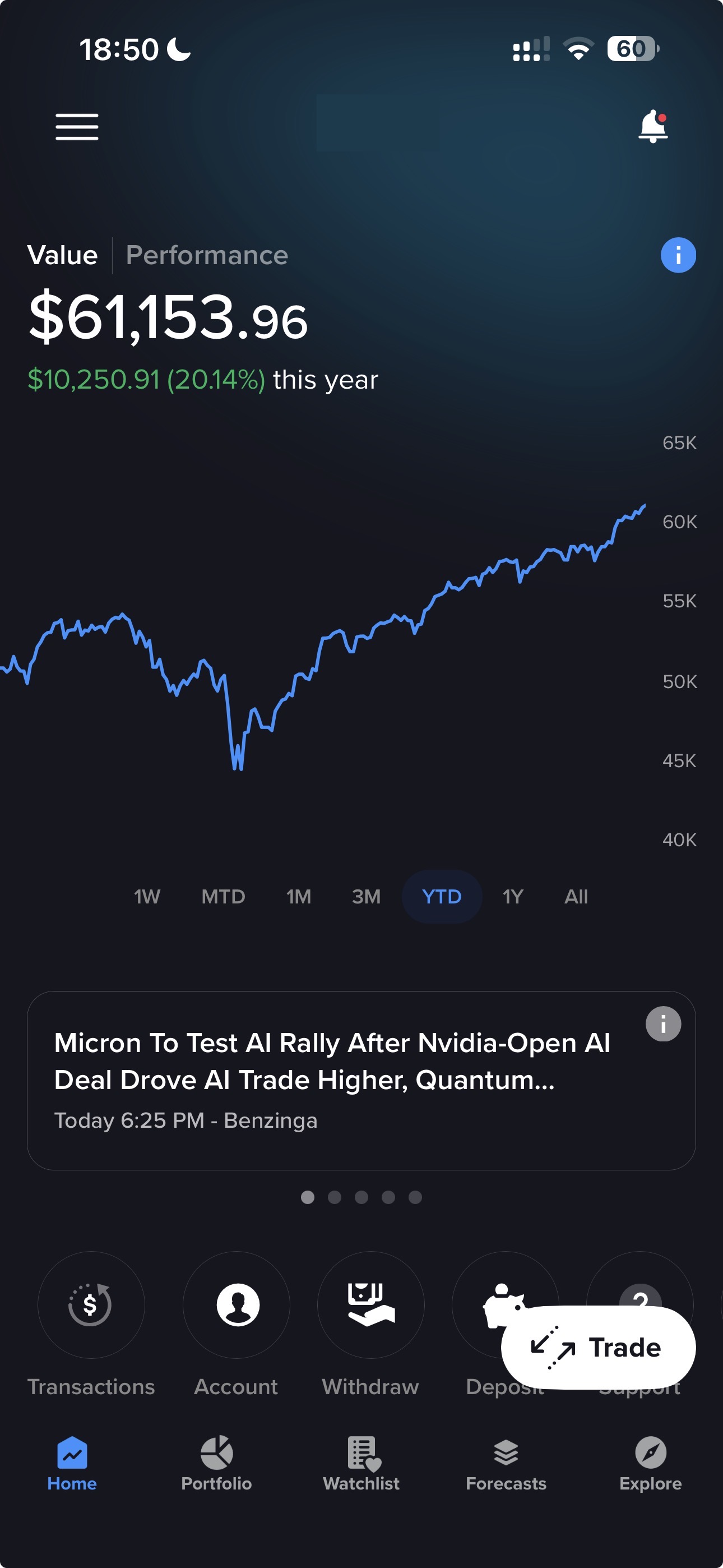
The simpler label should not be read as basic. GlobalTrader includes a redesigned Explore area, Investment Themes, AI-generated news summaries, enhanced watchlists, position controls and an optional advanced ticket. It also provides a simulated account with USD 10,000 or the equivalent in virtual cash. Separately, IBKR's AI Integration lets ChatGPT, Claude or Grok read the same account and draft instructions that you approve in the app, which we cover in our guide to connecting IBKR to AI assistants.
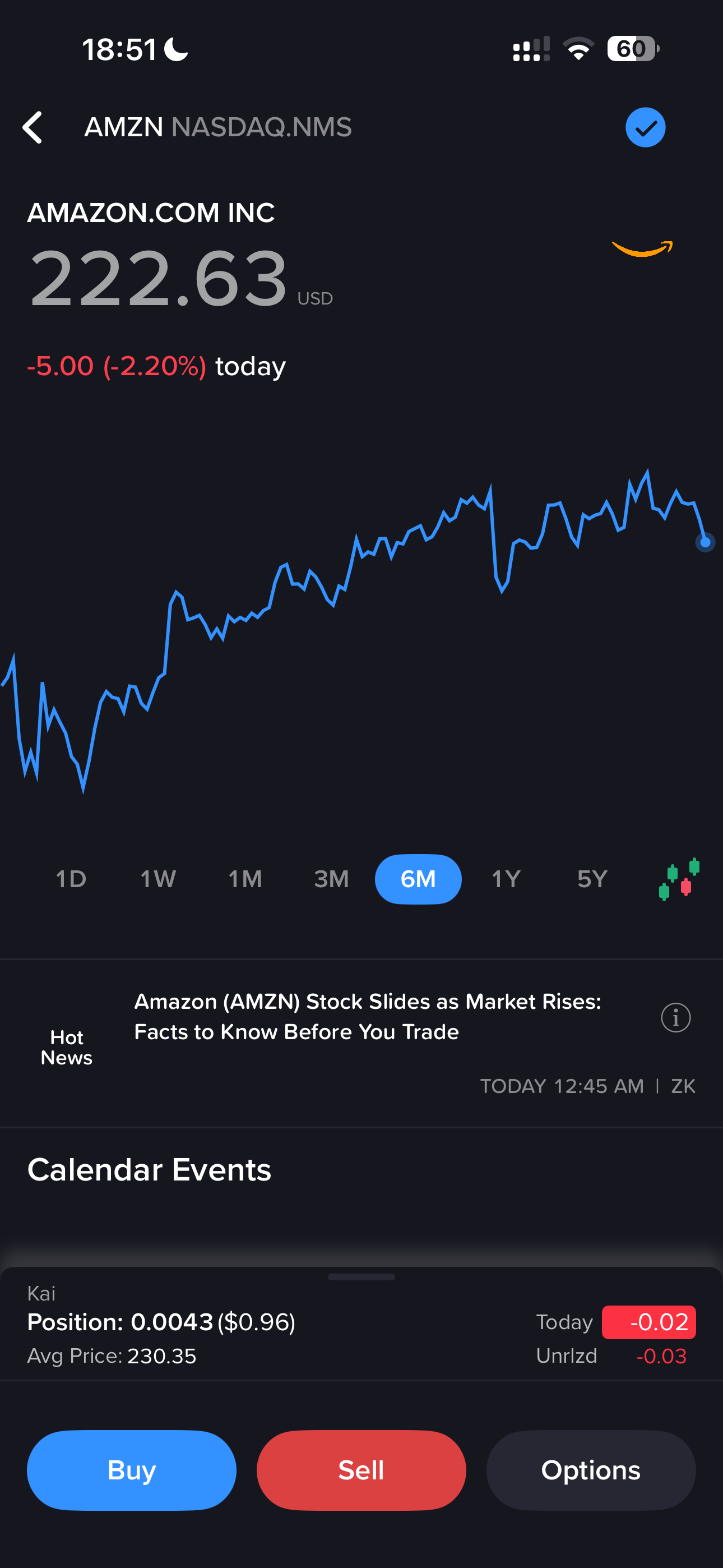
For an investor whose normal routine is to search for a stock or ETF, review a position and place a straightforward order, GlobalTrader keeps that work easier to reach. The limitation is product scope. Futures, currencies, bonds, funds and IBKR Mobile's named algorithmic order tools are not part of the verified GlobalTrader feature set for this comparison.
IBKR's GlobalTrader overview carries the current product and feature details.
Values-based workflowIMPACT: useful when values drive the workflow
IMPACT approaches the same IBKR account from a different angle. You select from 13 ESG values and can flag objectionable business practices. The app then shows portfolio grades and company alignment using third-party ESG information, IBKR systems and proprietary algorithms.
The limitation deserves equal weight. IBKR says it does not verify the ESG information, and results may differ from those produced by other firms. A grade can help you investigate a holding, but it should not be treated as a definitive measure of whether a company is sustainable or suitable for your portfolio.
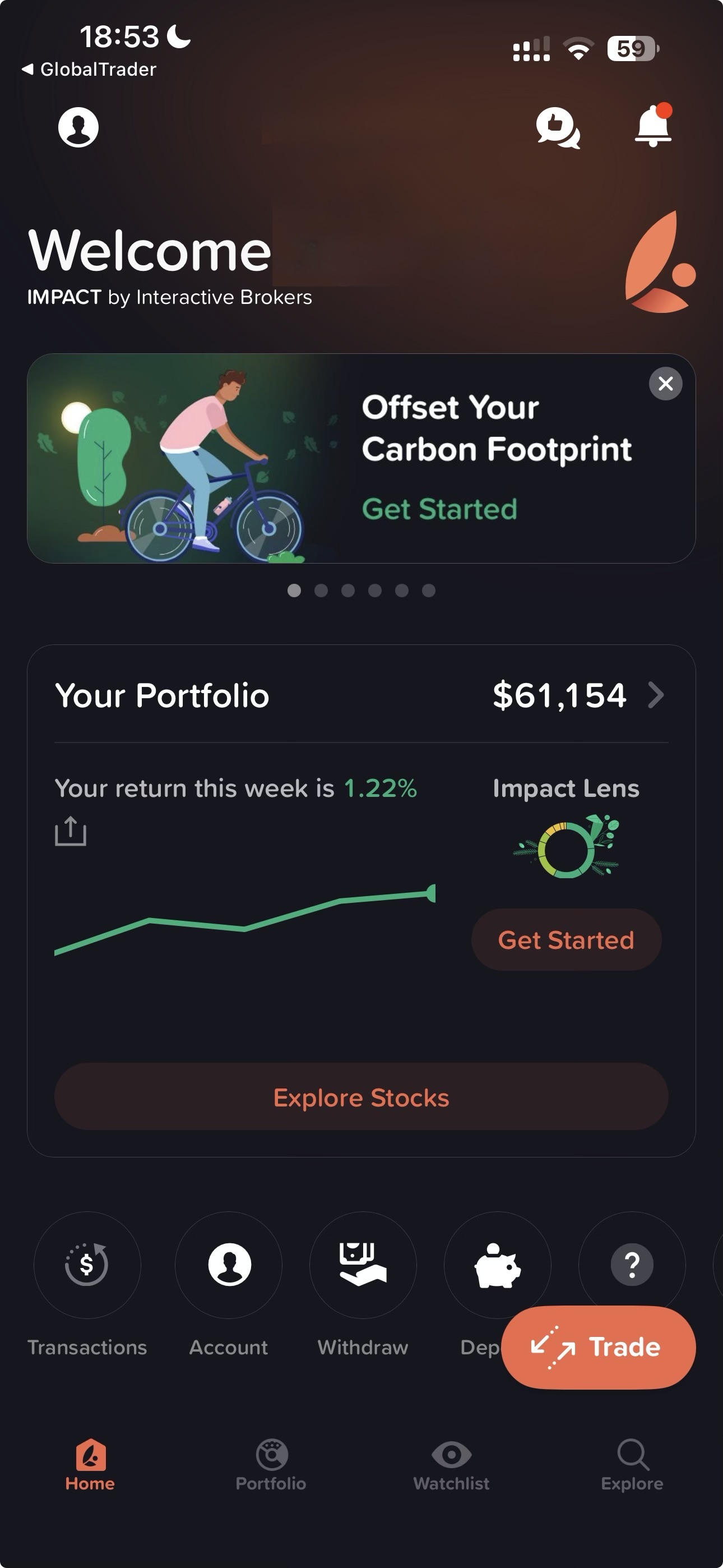
The app supports stocks, ETFs and options, with options on more than 30 market centres. Eligible fractional investing starts at USD 1. It also includes stock swapping, simulated trading and carbon-offset features.
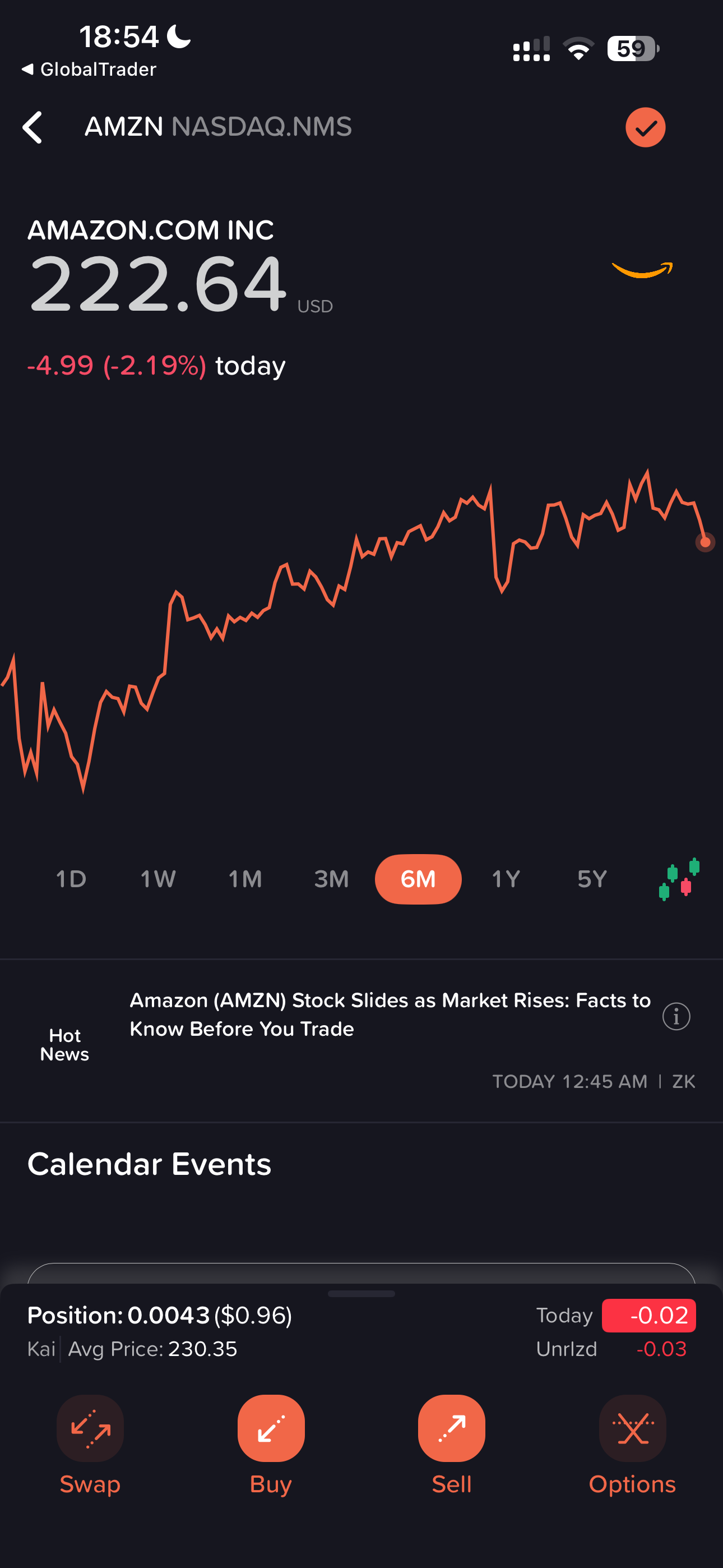
IMPACT is not your only way to see IBKR's ESG data. The Impact Dashboard is also available on other IBKR platforms, including IBKR Mobile. Choose the separate app when you want values and alignment to organise the whole experience, not merely because you want to check an ESG data point.
IBKR's sustainable-investing overview explains the current workflow and the limits of its ESG data.
PricingDo the three apps cost the same?
IBKR says clients can use its mobile, web and desktop platforms with no additional platform fee. Installing GlobalTrader alongside IBKR Mobile therefore does not create a separate platform charge.
That does not mean every transaction costs the same for every reader. Commissions, market-data charges and product costs follow your account, pricing plan, product and jurisdiction. Your app choice does not replace those account-level terms.
Five checks before choosing your workflow
The comparison is useful worldwide, but European and UK investors need an extra layer of checks. A feature shown on an international product page may not be available through every IBKR entity or account.
- Your IBKR legal entity. The entity holding your account determines the regulatory framework that applies. Changing apps does not move the account to another entity.
- Local app and feature availability. IBKR accepts applications from many countries, but its country list does not prove that every app, product or feature is available in each one.
- Your product permissions. Access depends on residence, entity, account type and approved trading permissions. An app may display a product category that your account cannot trade.
- Relevant currencies and conversion costs. Do not choose an app based on an old headline currency count. Check the currencies and products you need under your own account terms.
- Investor-protection eligibility. There is no single protection limit covering every European IBKR client. Eligibility follows the account entity and type of covered claim, not the app installed on your phone.
IBKR's platform overview and account-country list are useful starting points. Your account documents remain the relevant source for entity and protection details. Our separate guide explains how IBKR protection works for European investors.
Decision guideWhich IBKR app should you choose?
The deciding factor should be the work you perform most often. Product access, pricing, legal entity and protection are account questions. The app controls how you reach the tools.
VerdictGlobalTrader is the best default, not the only useful app
GlobalTrader is the best default for most long-term stock and ETF investors. It keeps routine investing focused without giving up broad international stock-market access.
IBKR Mobile is better for investors who need professional-grade mobile tools. Its wider product range, advanced orders, research, scanners and reporting justify the denser interface when those capabilities are part of your workflow.
IMPACT is the specialist choice. Use it when values-based screening changes how you review and organise investments, while treating its grades as one data source rather than a final verdict.
If Interactive Brokers fits your needs, you can open the account first and decide which interface works best after you have access. The choice is easy to revise because the apps connect to the same account.
FAQFrequently asked questions
No. Both can access the same IBKR account, but their interfaces and verified product scope differ. GlobalTrader focuses on a streamlined stock, ETF and options workflow. IBKR Mobile covers a wider set of products and provides more advanced order, research, reporting and portfolio tools.
Yes. IBKR says clients can use its mobile, web and desktop platforms without an additional platform fee. Installing more than one app does not require a separate brokerage account.
GlobalTrader is the best starting point for most beginners who want to invest in stocks and ETFs. IBKR positions it for beginner and intermediate users, and its workflow is more focused than IBKR Mobile. IMPACT can also suit beginners, but its main distinction is the values-based investing workflow.
All three verified app descriptions include options. IBKR Mobile is the stronger choice when you also need its broader product range and advanced order toolkit. GlobalTrader and IMPACT offer options on more than 30 market centres, but in more focused interfaces.
No. The separate IMPACT app puts values and company alignment at the centre of the experience, but IBKR also makes its Impact Dashboard available on other platforms, including IBKR Mobile.
No. Investor-protection eligibility follows your account entity and the covered claim. It does not change because you install GlobalTrader, IBKR Mobile or IMPACT.
Do not assume every app, product or feature is available in every country. Availability depends on residence, IBKR entity, account type and trading permissions.
Featured partner: Capital at risk. Provider of the investment services is Lightyear Europe AS for the EU. Terms apply: lightyear.com/terms. Seek qualified advice if necessary. This is not investment advice. Sponsored Link.